
Rewire Viewer
The custom Rerun-based viewer built for ROS 2 workflows.
Rewire ships with its own viewer — a custom build of Rerun with panels designed specifically
for ROS 2 development. It launches automatically when you run rewire record.
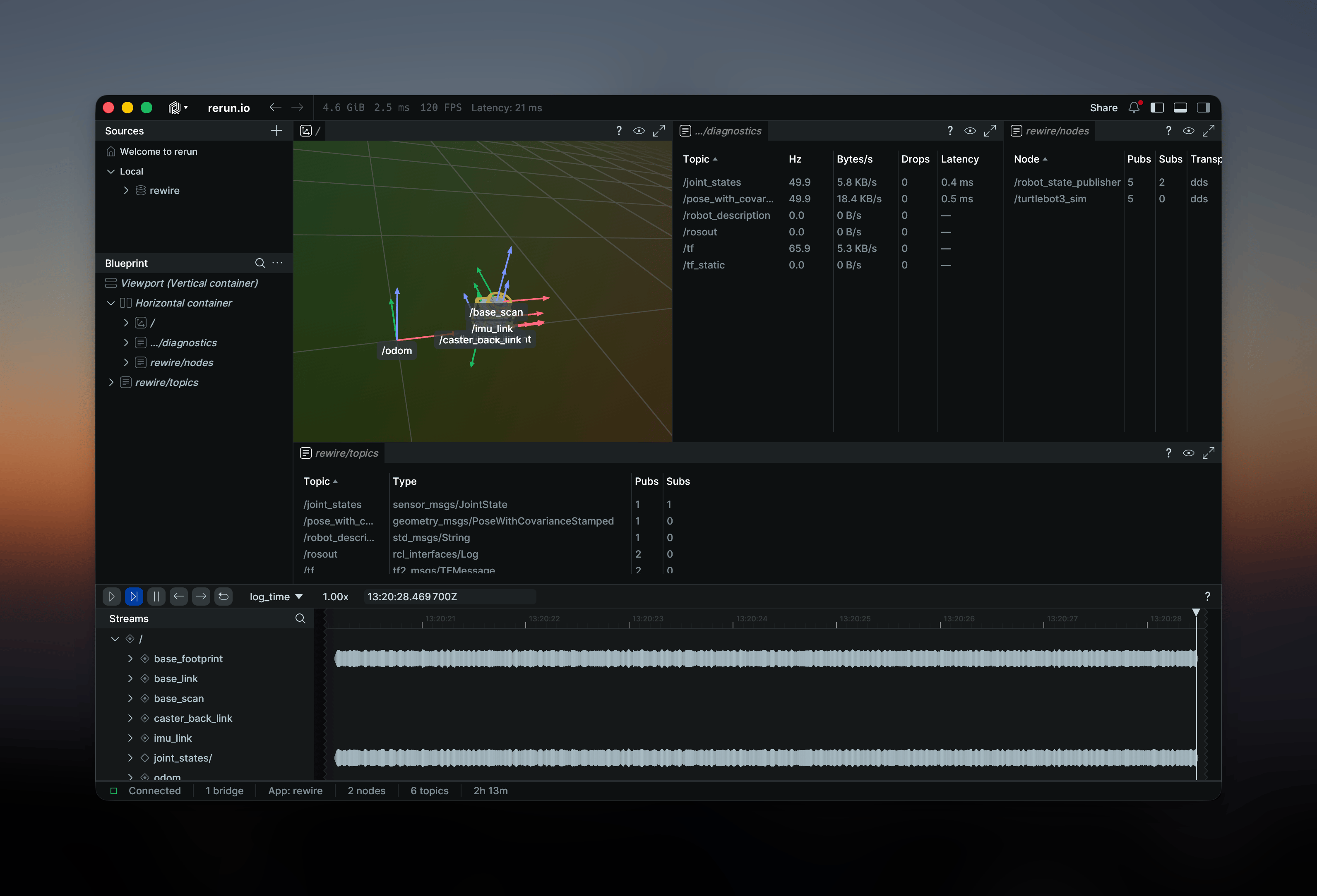
Auto-spawn
When you run rewire record without a --connect flag, Rewire starts an in-process
relay, looks for the rewire-viewer binary next to its own executable or on your
PATH, and launches it connected through the relay. No extra steps needed.
rewire recordThe viewer opens and starts receiving data immediately. Because the viewer connects through the relay, you can close and reopen it — or it can crash — without interrupting the recording. When the bridge shuts down, the viewer stays open so you can continue inspecting the recording.
If the default port is already in use, Rewire probes what is listening and connects to it instead —
first a running relay, then a legacy 0.5.x rewire-viewer, and finally a stock Rerun viewer. If
rewire-viewer is not found (e.g. a manual install of only the rewire binary), Rewire falls
back to the official Rerun viewer.
Custom panels
The Rewire Viewer adds three panels on top of the standard Rerun interface.
Topics
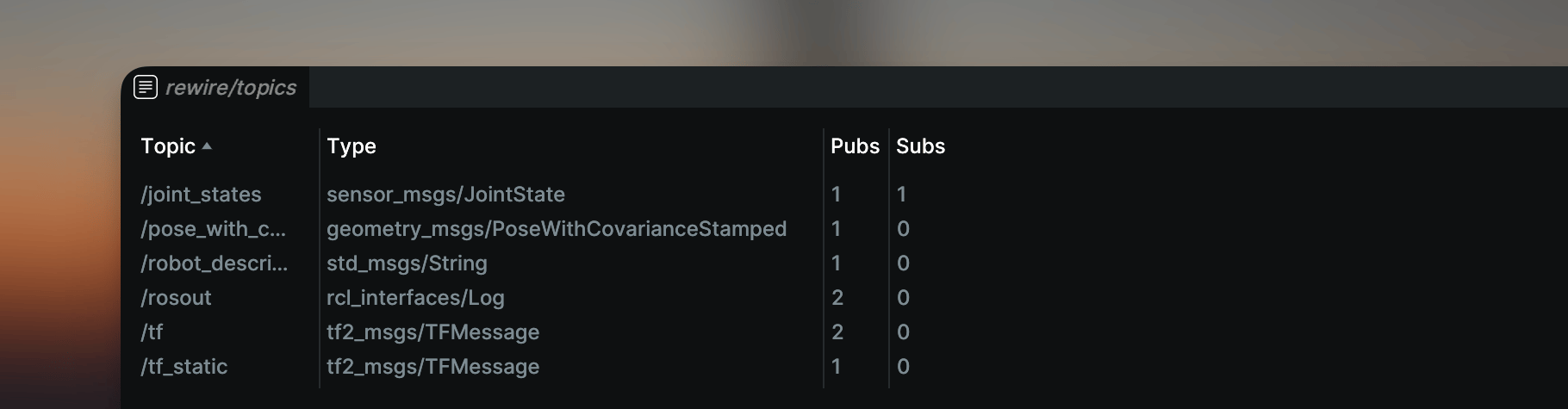
A sortable table of all subscribed topics showing:
- Topic name and message type
- Publisher and subscriber counts
Topics update in real time as they are discovered, subscribed, or unsubscribed.
Nodes
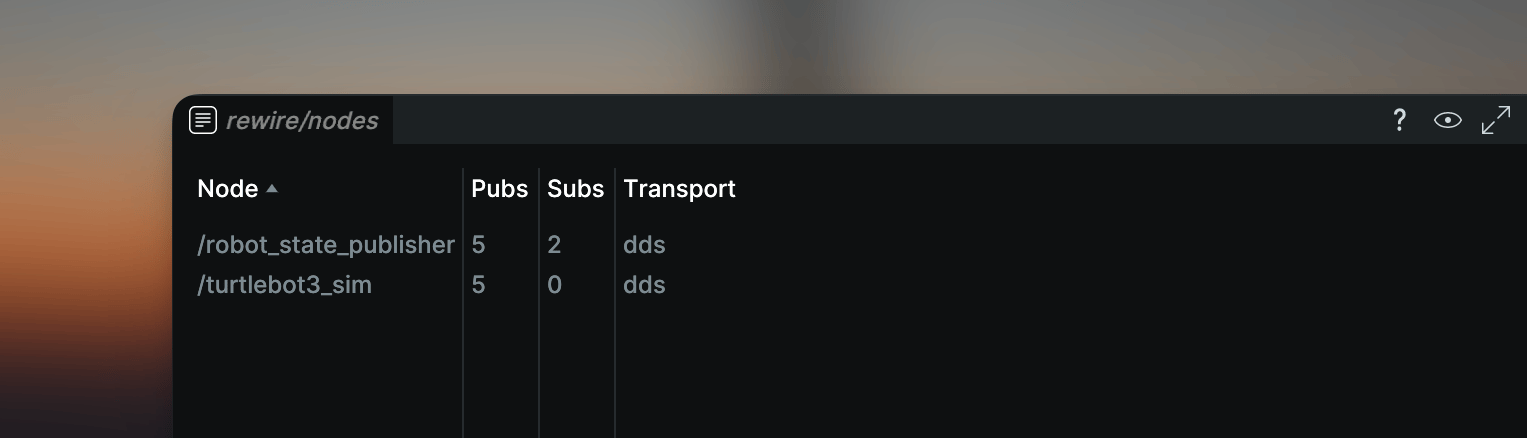
Discovered ROS 2 nodes that publish or subscribe to actively bridged topics. Shows node names, publisher/subscriber counts, and transport protocol (DDS or Zenoh).
Diagnostics
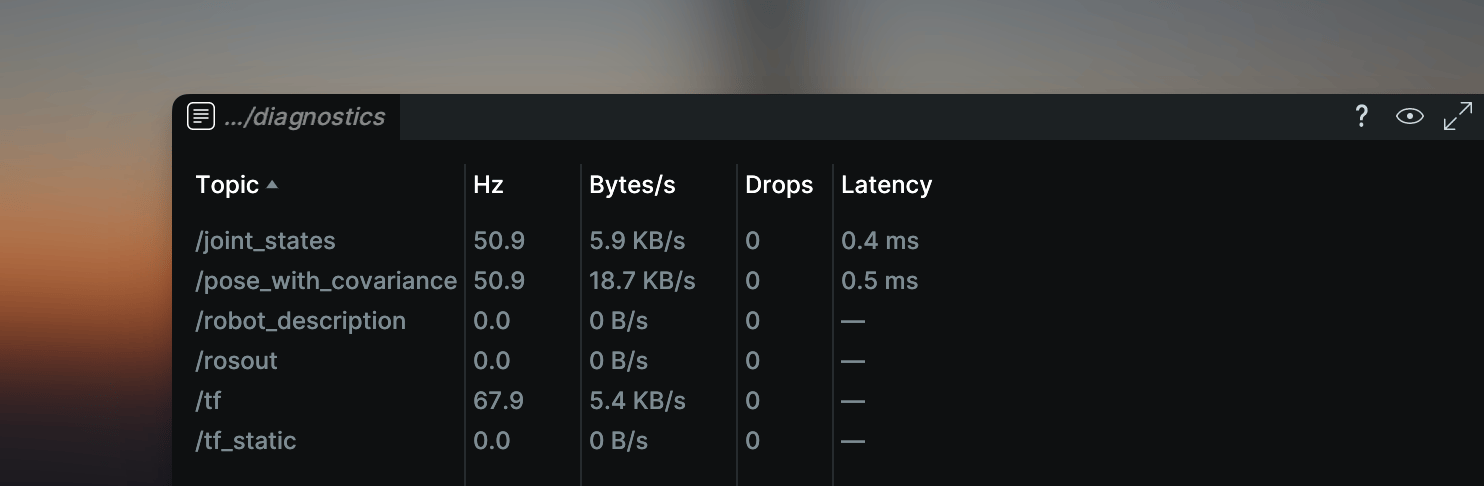
Per-topic diagnostics at a glance:
- Hz (actual vs expected)
- Bandwidth
- Dropped messages
- Latency
This panel complements the per-topic diagnostic time series that Rewire logs as Rerun Scalars
when --diagnostics is enabled.
Using a remote viewer
To stream data to a viewer running on another machine, use --connect:
rewire record --connect 192.168.1.50:9876Shorthand forms are accepted:
| Input | Resolved to |
|---|---|
192.168.1.50:9876 | rerun+http://192.168.1.50:9876/proxy |
192.168.1.50 | rerun+http://192.168.1.50:9876/proxy |
localhost | rerun+http://127.0.0.1:9876/proxy |
When --connect is specified, Rewire does not auto-spawn a local viewer.
Multi-bridge fleet visualization
Multiple bridge instances can stream to the same viewer simultaneously. Each bridge reports a unique heartbeat, and the viewer tracks connection status and bridge count automatically.
# Robot 1
rewire record --connect viewer-host:9876

# Robot 2 (different machine, same viewer)
rewire record --connect viewer-host:9876
The Topics and Nodes panels aggregate data from all connected bridges. For fleets, run a standalone relay as the hub instead of a viewer — bridges reconnect to it automatically, and viewers can come and go without disturbing the streams.
Ports
In the default flow, the embedded relay hosts both the Rerun data stream and the Rewire
service (heartbeats, info) on a single port, 9876, and the viewer connects to it as a client.
When the viewer runs standalone in the 0.5.x style — receiving streams directly, without a relay — it uses two ports:
| Port | Protocol | Purpose |
|---|---|---|
| 9876 | gRPC | Rerun data stream |
| 9877 | gRPC | Viewer service (heartbeat, info) |
Both ports are configurable via the rewire-viewer CLI:
rewire-viewer --port 9876 --grpc-port 9877The service port defaults to data port + 1 when not specified.