
First Run
What to expect when you run Rewire for the first time.
What happens
When you run rewire record, Rewire walks through the following sequence:
Start the relay and launch the viewer
Rewire starts an in-process relay on port 9876 and spawns the Rewire Viewer
next to the bridge process, connected through it. The viewer can restart without interrupting the
recording.
Discover the network
Rewire creates a DDS and Zenoh context to discover topics on the network and waits for topic discovery to settle (default: 5 seconds).
Subscribe and stream
Matching topics are subscribed automatically and data starts flowing to the viewer in real time.
Track changes
New topics are picked up as they appear, and Rewire unsubscribes when topics go away.
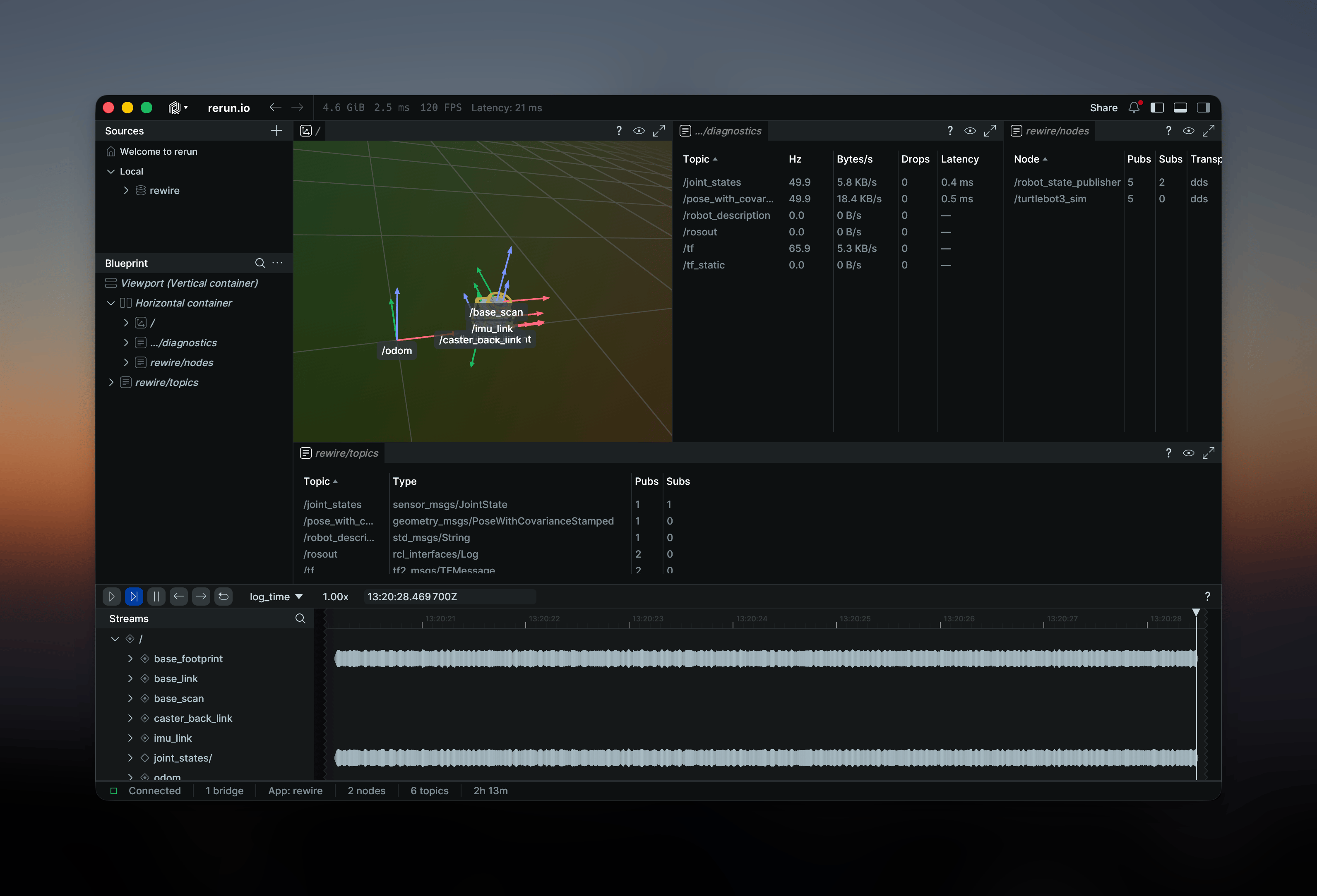
Rewire is not a ROS 2 node — it observes the DDS/Zenoh network directly and never interferes with your ROS graph.
Environment check
Run the health check to verify your environment:
rewire doctorThis checks for middleware availability, network configuration, and converter readiness.
Shell completions
Generate completions for your shell:
rewire completions bash > ~/.bash_completion.d/rewirerewire completions zsh > ~/.zfunc/_rewirerewire completions fish > ~/.config/fish/completions/rewire.fishList supported types
See all built-in type mappings:
rewire typesThis shows every supported ROS 2 message type and the corresponding Rerun archetype.